To start handling tickets, navigate to the Overviews section in the main menu.
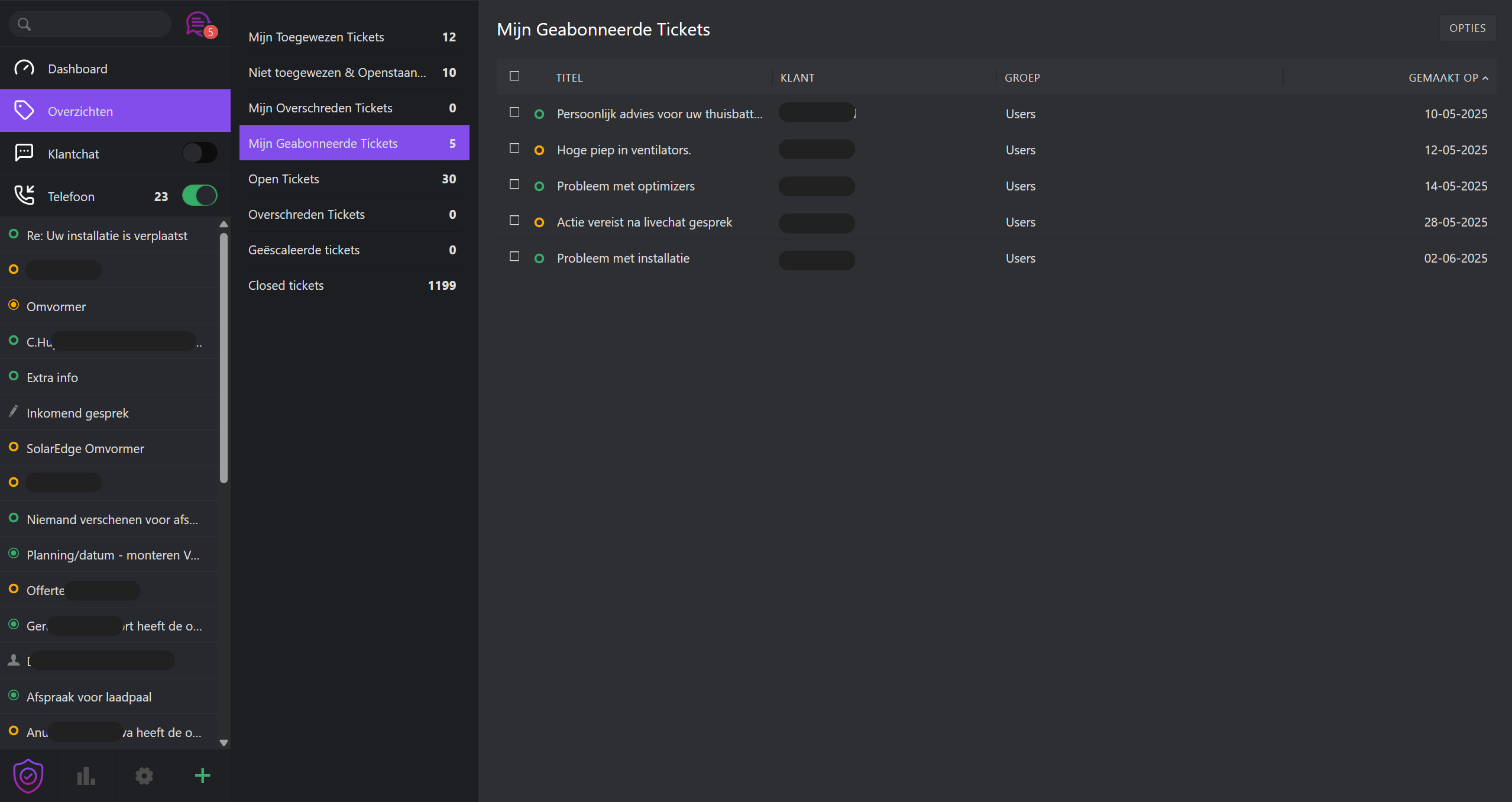
Overviews act as filtered inboxes, each displaying tickets based on specific criteria. ResolvePro includes several standard overviews:
- My assigned tickets – Open and pending tickets assigned to you
- Unassigned & Open – Tickets awaiting assignment
- My pending reached tickets – Tickets you marked as pending, now due
- Open – All system-wide open tickets
- Pending reached – All due pending tickets system-wide
- Escalated – Tickets that exceeded their SLA threshold
UI Tips:
- Click column headers to sort
- Drag column dividers to resize
Color Indicators:
- 🟢 Action required: New, Open, Pending Reached
- 🟡 Paused: Pending
- ⚪ No action needed: Closed, Merged
- 🔴 Urgent: Escalated (SLA breach)
Ticket priorities are also visually color-coded to help agents quickly assess urgency.