Go to content
Node24
  • Home
  • Our Approach
  • Services
    • IT & Network Management
    • Cybersecurity & Security
    • Cloud solutions
    • Proactive Monitoring
    • Strategic IT Consultancy
    • Security Training
    • Complete helpdesk solution
  • Portfolio
  • Contact
    • Support
      • Create Ticket
      • Telephone Support
      • Livechat
    • Sales & General Info
    • FAQ
    • ResolvePro Docs
  • Nederlands
  • Home
  • Our Approach
  • Services
    • IT & Network Management
    • Cybersecurity & Security
    • Cloud solutions
    • Proactive Monitoring
    • Strategic IT Consultancy
    • Security Training
    • Complete helpdesk solution
  • Portfolio
  • Contact
    • Support
      • Create Ticket
      • Telephone Support
      • Livechat
    • Sales & General Info
    • FAQ
    • ResolvePro Docs
  • Nederlands
Create Ticket

ResolvePro Glossary

1
  • ResolvePro Glossary

Introduction

1
  • What exactly is a ticket?

Finding Tickets

2
  • Search for Tickets
  • Browse for Tickets

Working on Tickets

2
  • Ticket Settings
  • Creating a Ticket

Advanced Ticket Handling

10
  • Time Accounting
  • Suggested Workflows
  • Macros
  • Advanced Search
  • Ticket Templates
  • Linking Tickets
  • Splitting Tickets
  • Merging Tickets
  • Text Modules
  • Tabs

Trust & Legal

2
  • System Status & Uptime
  • Legal Notice & Policies
View Categories
  • Home
  • ResolvePro Docs
  • ResolvePro Glossary
  • Finding Tickets
  • Browse for Tickets

Browse for Tickets

< 1 minute read

0:00 / 0:41
  • View as Markdown Open this page as plain Markdown (opens in a new tab)
  • Open in ChatGPT Ask questions about this page (opens in a new tab)
  • Open in Claude Ask questions about this page (opens in a new tab)
  • Open in Google AI Studio Ask questions about this page (Google account required) (opens in a new tab)

To start handling tickets, navigate to the Overviews Section in the main menu.
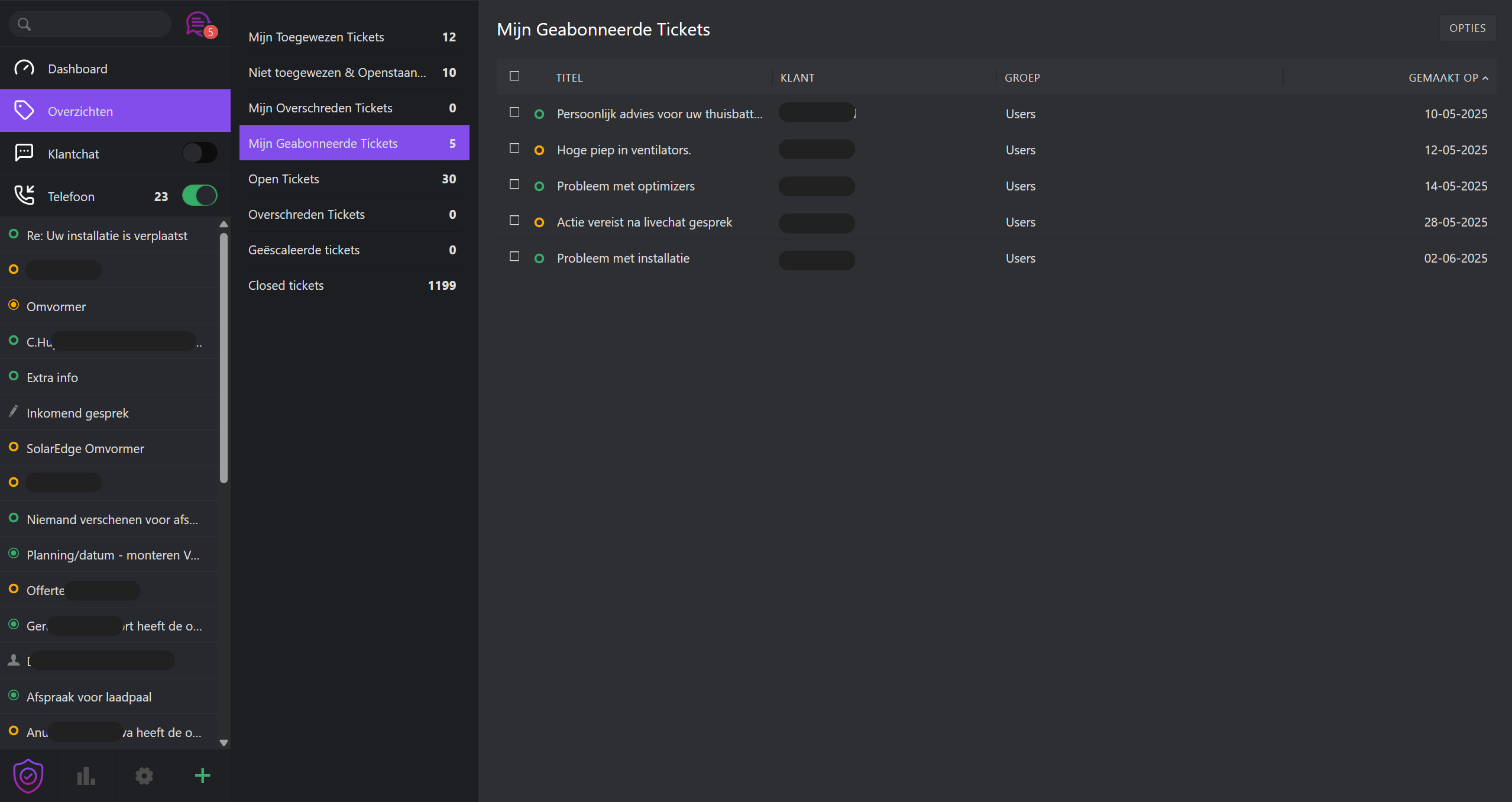
Overviews act as filtered inboxes, each displaying tickets based on specific criteria. ResolvePro includes several standard views:

  • My signed tickets . Open and pending tickets assigned to you
  • Unassigned & Open . Tickets awaiting assignment
  • My pending received tickets . Tickets you marked as commuting, now due
  • Open . All system wide open tickets
  • Pending reached . All due commuting tickets system-wide
  • Escaled . Tickets that exceeded their SLA threshold

UI Tips:

  • Click
  • Drag column dividers to resize

Color Indicators:

  • 🟢 Action required: New, Open, Pending Reached
  • 🟡 Pope: Pending
  • ⚪ No action needed: Closed, Merged
  • 🔴 Urgent: Escalated (SLA break)

Ticket priorities are also visually color-coded to help agents quickly assess urgency.

#

Updated June 13, 2025
Search for TicketsSearch for Tickets
Contents
Manage permission
To provide the best experience, we use technologies such as cookies to store and/or consult information about your device. By agreeing to these technologies we can process data such as surfing behaviour or unique IDs on this site. If you do not give your consent or withdraw your consent, this may affect certain functions and capabilities.
Functional Always active
Technical storage or access is strictly necessary for the legitimate purpose of enabling the use of a specific service specifically requested by the subscriber or user, or for the sole purpose of carrying out the transmission of a communication over an electronic communications network.
Preferences
Technical storage or access is necessary for the legitimate purpose of storing preferences not requested by the subscriber or user.
Statistics
Technical storage or access used exclusively for statistical purposes. The technical storage or access used exclusively for anonymous statistical purposes. Without subpoena, voluntary compliance by your Internet Service Provider, or additional data from a third party, information stored or retrieved for this purpose alone cannot usually be used to identify you.
Marketing
The technical storage or access is necessary to establish user profiles to send advertising, or to track the user on a site or across different sites for similar marketing purposes.
  • Manage options
  • Management of services
  • Manage {vendor_count} suppliers
  • Read more about these purposes
View Preferences
  • {title}
  • {title}
  • {title}